
1
Upload an image
Choose the reference image you want Promtist to describe.
Upload an image, choose an output format, and generate a prompt that describes the visual style, subject, composition, lighting, and useful details.
Follow these steps to turn a reference image into a reusable prompt.
Choose the reference image you want Promtist to describe.
Select Plain for a single prompt or JSON for structured output.
Promtist uploads the image privately and passes a temporary private link to the model.
Edit the generated prompt, then copy or save it for your image workflow.
Upload the image, then choose the result format and language.
Returns a clean prompt you can paste directly into Midjourney, DALL-E, Stable Diffusion, Flux, ComfyUI, or another image model.
Returns separate fields for subject, scene, style, lighting, composition, details, and negative prompt guidance for automated workflows.
Writes prompt content in your selected language while keeping JSON keys and machine-readable structure stable.
Promtist reads the visible parts of a reference image and turns them into editable prompt details for generation or documentation.
The main person, object, product, place, or scene the image is centered on.
The surrounding environment, background, props, and context that shape the image.
The visual language, such as editorial photography, cinematic concept art, 3D render, anime, or minimal UI.
Light direction, softness, contrast, time of day, glow, shadows, and overall illumination mood.
Framing, crop, perspective, symmetry, negative space, depth, and how elements are arranged.
Photo-like cues such as angle, lens feel, depth of field, close-up, wide shot, or product framing.
Visible surfaces and textures, including fabric, glass, metal, wood, skin, food, paper, or screen UI.
Dominant palette, contrast, saturation, atmosphere, emotion, and the overall creative direction.
See how visual inputs can become reusable prompts for generation, editing, and creative documentation.
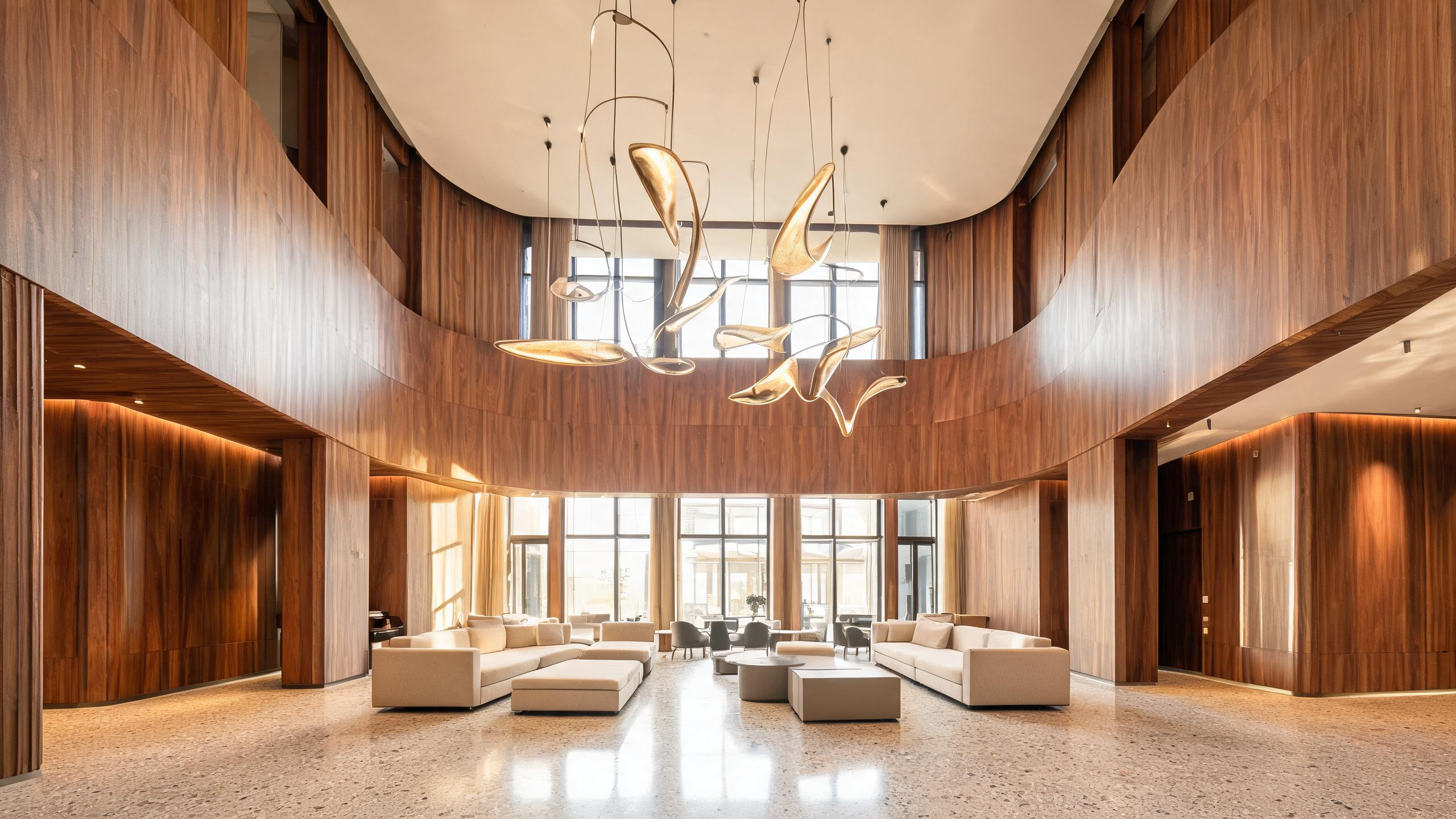
Uploaded image
Architecture interior photo
Generated prompt
A modern boutique hotel lobby with curved walnut wall panels, terrazzo floor, low modular sofas, sculptural pendant lights, warm ambient lighting, wide-angle architectural photography, clean symmetry, refined hospitality design, natural afternoon light through tall windows.
Best for
Extracting interior design style, lighting, materials, and spatial composition
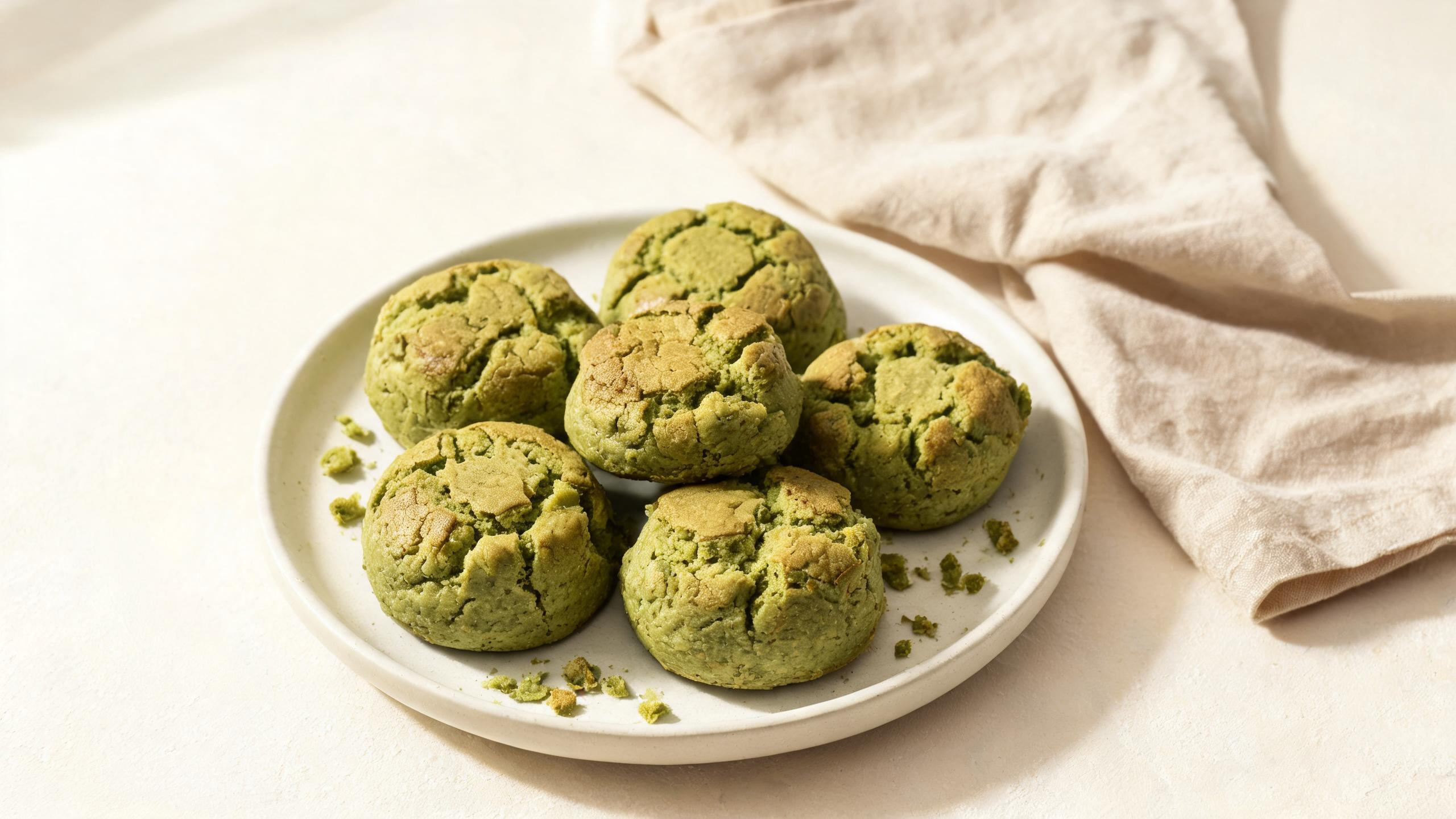
Uploaded image
Editorial food photography
Generated prompt
An editorial food photograph of handmade matcha pastries on a matte ceramic plate, linen napkin, soft side lighting, shallow depth of field, muted green and cream palette, natural crumbs and texture detail, overhead three-quarter composition, premium cafe magazine style.
Best for
Rebuilding food styling, plating direction, and commercial photography notes
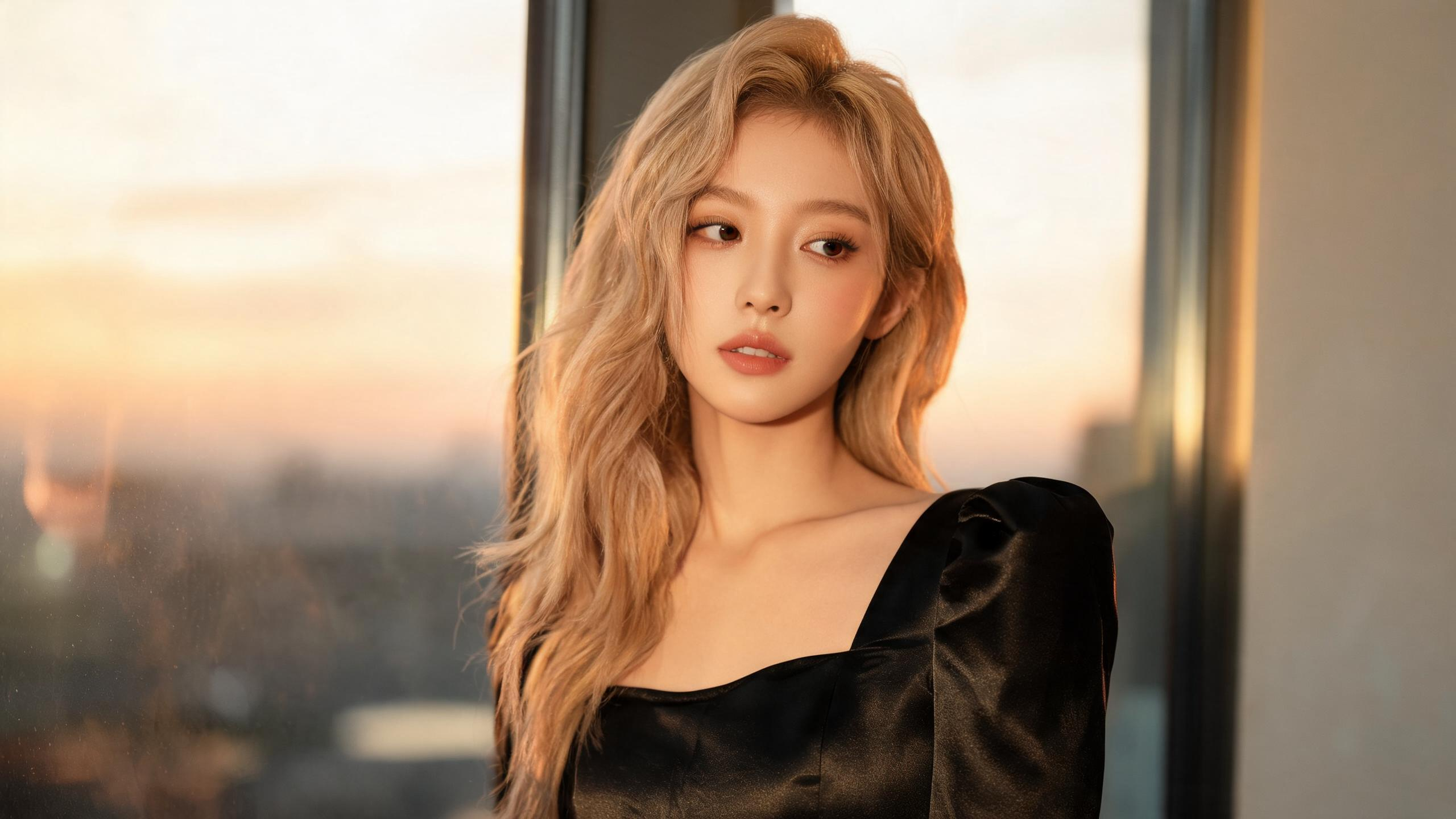
Uploaded image
Blonde fashion portrait
Generated prompt
A cinematic fashion portrait of a blonde woman with soft wavy hair, wearing an elegant black satin dress, standing near a large window with warm golden-hour light, natural skin texture, subtle makeup, shallow depth of field, refined editorial photography style, soft shadows, 85mm lens look.
Best for
Extracting portrait lighting, styling, pose, hair detail, and editorial fashion direction
Use Image to Prompt when an existing visual is the fastest way to capture style, composition, and production direction.
Turn a reference image into a prompt that captures its visual language without manually listing every detail.
Describe lighting, surfaces, framing, and materials from product references for new commercial images.
Convert screenshots, concepts, and moodboard images into editable prompt notes.
Study what makes a generated image work and rebuild it as a stronger text prompt.
Use JSON output when downstream tools need structured visual fields instead of one prompt string.
Create a prompt baseline from a reference, then refine it across Midjourney, DALL-E, Stable Diffusion, Flux, or ComfyUI.
If you have any questions, please contact us.
Image to Prompt analyzes an uploaded image and turns it into a reusable AI image prompt.
The form supports plain text and JSON output. Uploads accept PNG, JPG, WebP, HEIC, and HEIF files.
Yes. Promtist does not share your image with third parties, and uploaded images are deleted after 24 hours.
Yes. You can use the generated prompt with Midjourney, DALL-E, Stable Diffusion, Flux, ComfyUI, and other AI image models, but you may need small adjustments for each model's syntax and parameters.
Yes. The output panel is editable, and you can copy or save the final prompt.