
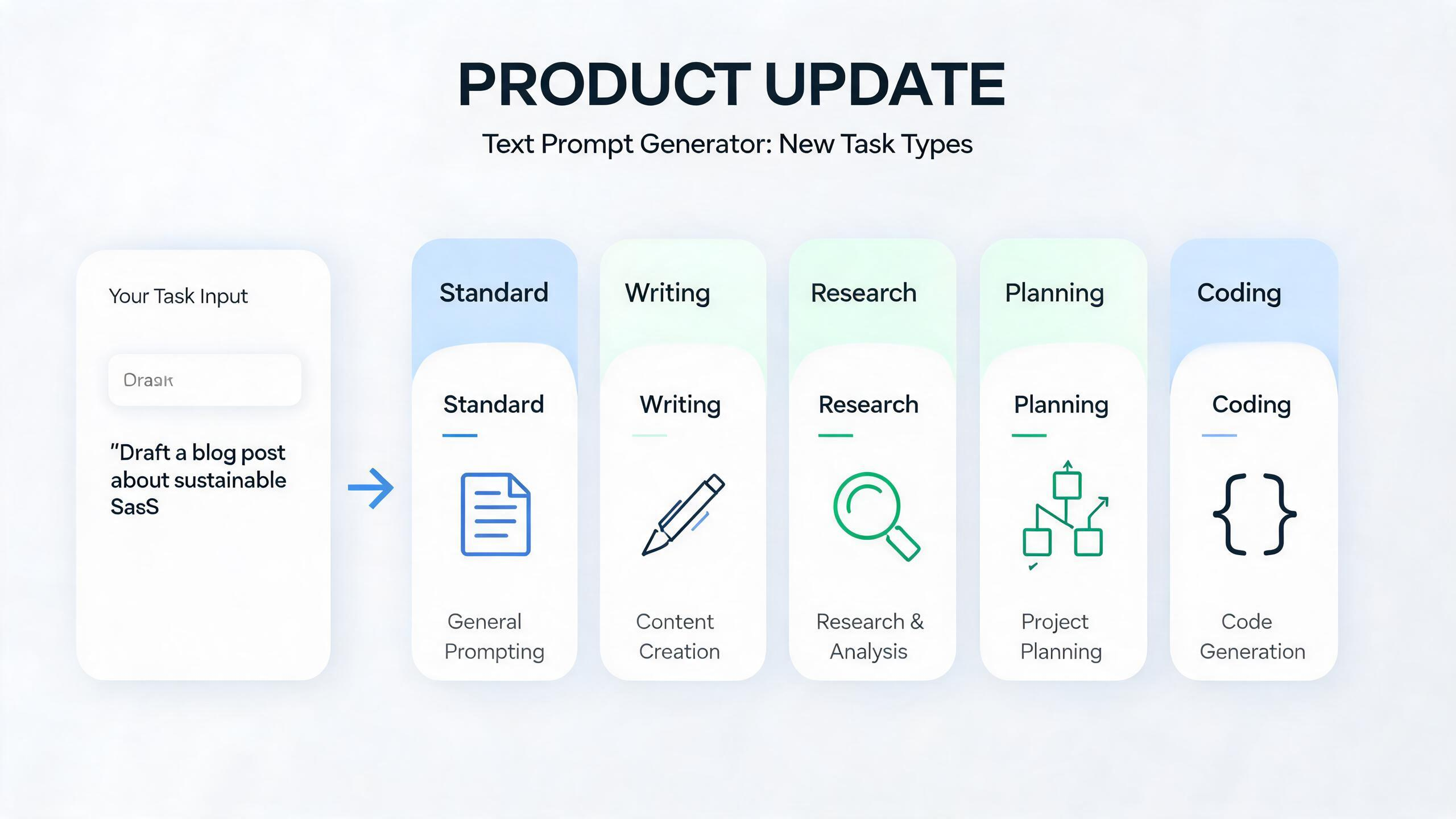
We have updated Promtist Text Prompt Generator with a new task type selector.
This update lets you choose what kind of work your prompt is for before generating the final prompt. Instead of treating every text task as a generic request, Promtist can now generate prompts for five different task types:
- Standard for general-purpose tasks.
- Writing for drafts, edits, rewrites, emails, articles, and content.
- Research for analysis, investigation, comparison, and summarization.
- Planning for strategy, roadmap, decision-making, and project breakdowns.
- Coding for software development, debugging, refactoring, testing, and code review.
The change is small in the interface, but important in the result. A prompt for writing should not look like a prompt for coding. A prompt for research should not behave like a prompt for planning. Different tasks need different instructions, constraints, and output formats.
What We Updated
Previously, Text Prompt Generator created a strong general-purpose prompt from your task description. That worked well for many cases, especially when the task was simple or broad.
The new version adds task-specific prompt generation. When you describe your task, you can now select the task type that best matches the output you want. Promtist then uses a different generation pattern for that task type.
That means the generated prompt can include more relevant guidance:
- Writing prompts can include audience, tone, style, structure, length, and revision criteria.
- Research prompts can include scope, assumptions, source awareness, uncertainty, comparison, and limitations.
- Planning prompts can include goals, constraints, priorities, dependencies, risks, and next steps.
- Coding prompts can include technical context, existing code, interfaces, edge cases, tests, and verification.
- Standard prompts remain available when the task does not need a specialized workflow.
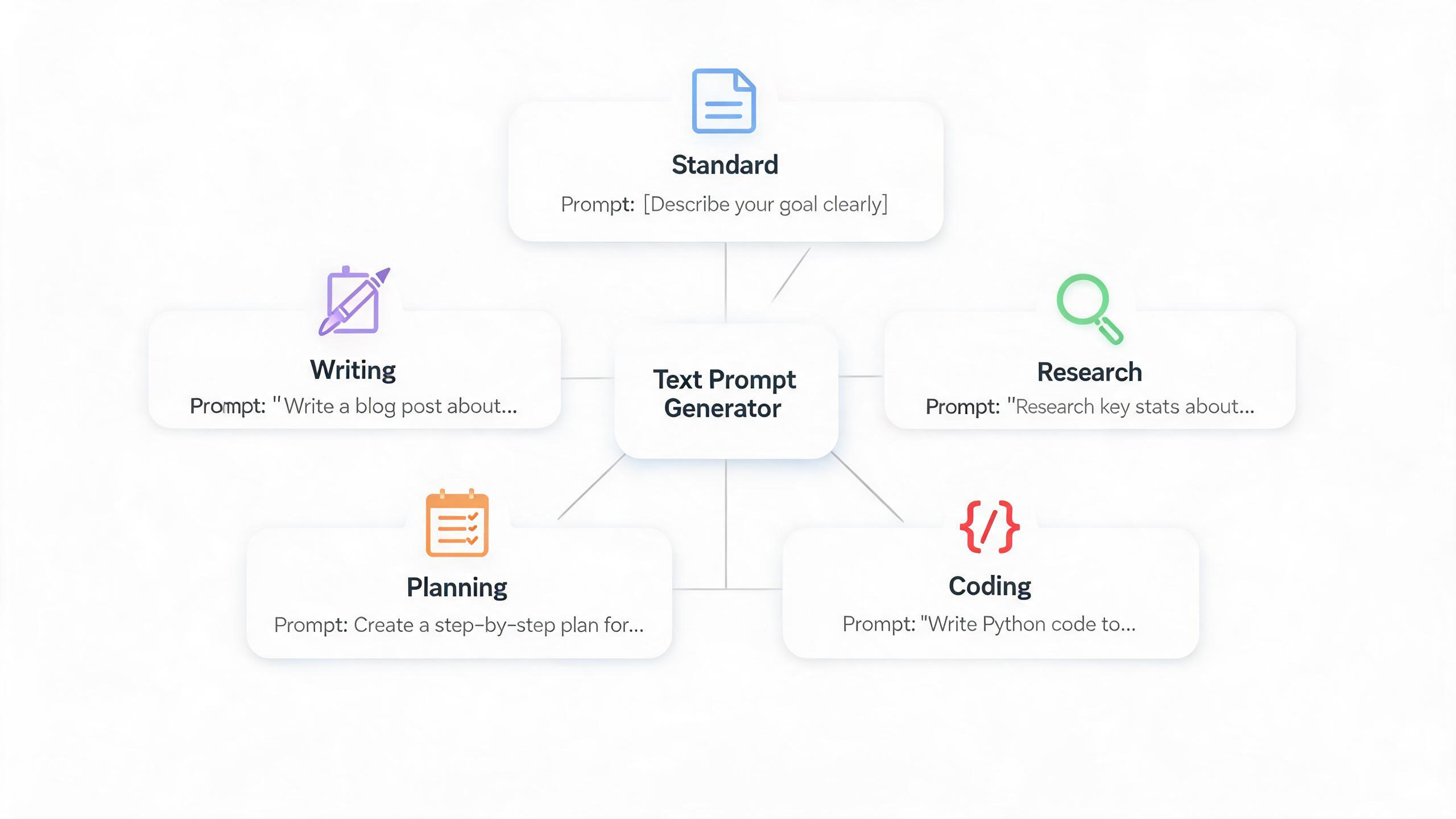
Why We Made This Update
A good text prompt is not only a longer version of the user's request. It is a working brief for an AI assistant.
That brief changes depending on the job. A prompt for writing an email should care about audience, tone, structure, and call to action. A prompt for research should care about scope, assumptions, evidence, uncertainty, and comparison. A prompt for coding should care about the existing codebase, interfaces, edge cases, tests, and verification.
Imagine you enter this short task:
Help me improve our onboarding.
This task is too broad by itself. Depending on your intent, you might need a welcome email, a research brief, a product roadmap, or code changes to an onboarding flow.
If the generator treats all of those as the same task, it will create a generic prompt. Generic prompts are often usable, but they miss the details that make the result reliable.
Task type solves this by choosing the right prompt pattern before generation begins. The goal is not to force every task into a rigid template. The goal is to give the AI the right working context for the result you actually want.
A Detailed Look at Each Task Type
Standard
Use Standard when the task does not need a specialized workflow.
Standard prompts are practical and direct. They preserve the user's intent, add useful role or context when needed, define the expected output, and include placeholders if the task is underspecified.
Standard is best for general tasks such as:
- Asking for an explanation.
- Improving a simple idea.
- Summarizing a short piece of text.
- Creating a checklist.
- Turning a broad request into a usable assistant prompt.
A Standard prompt usually asks the AI to be clear, useful, and structured, but it does not overfit the task to a writing, research, planning, or coding workflow.
Writing
Use Writing when the output is a piece of content.
Writing prompts focus on audience, purpose, tone, voice, structure, length, and revision criteria. They also make room for source text, product details, brand constraints, and calls to action.
Writing is best for:
- Blog posts and articles.
- Emails and newsletters.
- Landing page copy.
- Social posts.
- Rewrites, edits, and tone changes.
A Writing prompt should not simply say "write this." It should tell the AI who the reader is, what the copy needs to achieve, how it should sound, how it should be organized, and how the draft should be evaluated.
Research
Use Research when the output should be analytical, comparative, or evidence-aware.
Research prompts focus on scope, assumptions, source awareness, uncertainty, comparison, synthesis, and limitations. They ask the AI to separate facts from inferences and open questions when that distinction matters.
Research is best for:
- Market research.
- Competitor analysis.
- Product discovery.
- Literature or source review.
- Decision briefs.
A Research prompt should reduce unsupported certainty. If current data is needed, the prompt should tell the AI to say what must be verified instead of pretending the answer is complete.
Planning
Use Planning when the output should help you decide what to do next.
Planning prompts focus on goals, constraints, stakeholders, timelines, tradeoffs, dependencies, risks, priorities, and action steps. They usually ask for a roadmap, checklist, phased plan, decision matrix, or implementation sequence.
Planning is best for:
- Project plans.
- Product roadmaps.
- Launch plans.
- Strategy breakdowns.
- Operational decision-making.
A Planning prompt should make the result actionable. It should help the AI move from a vague objective to concrete steps, sequencing, risks, and success criteria.
Coding
Use Coding when the task involves software development.
Coding prompts focus on technical context: codebase structure, framework, APIs, existing interfaces, constraints, compatibility, error handling, tests, and verification. For debugging, they ask for diagnosis, likely causes, minimal fixes, and regression tests.
Coding is best for:
- Implementation guidance.
- Debugging.
- Refactoring.
- Architecture review.
- Test planning and code review.
A Coding prompt should push the AI to work like an engineer. It should ask for relevant context first, preserve existing behavior, explain tradeoffs, handle edge cases, and include a verification path.
Same Task, Different Prompts
The easiest way to understand task types is to compare the same user input across different workflows.
Base task:
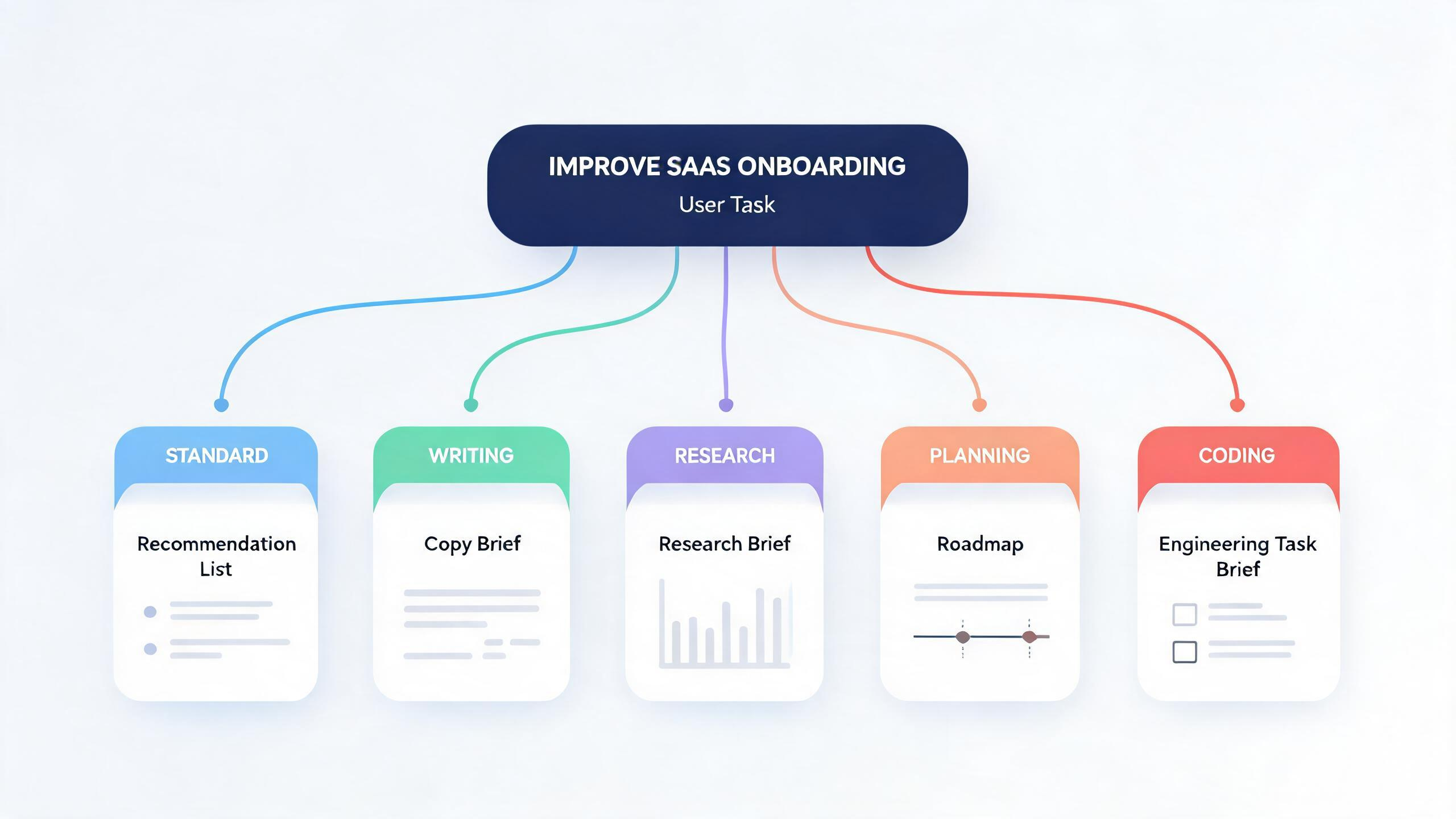
Improve the onboarding experience for a SaaS analytics product.
In Standard, Promtist might generate a prompt that asks the AI to review the onboarding experience, identify improvements, and produce a concise list of recommendations.
In Writing, the prompt changes. It might ask the AI to draft onboarding emails, in-app messages, or help text for new users. The focus becomes audience, tone, clarity, sequence, and conversion.
In Research, the prompt changes again. It might ask the AI to analyze onboarding pain points, compare competitor onboarding flows, identify user segments, and distinguish verified findings from assumptions.
In Planning, the prompt becomes operational. It might ask for a phased onboarding improvement roadmap with owners, dependencies, metrics, risks, and next steps.
In Coding, the prompt becomes technical. It might ask the AI to inspect the existing onboarding flow, propose implementation changes, define event tracking, handle edge cases, and add tests.
The input is the same. The useful prompt is not.
What Changes Inside the Prompt
The main difference between task types is the kind of missing information they add.
Standard adds general clarity. It asks for role, context, constraints, and output format only when they help.
Writing adds communication context. It asks for audience, purpose, tone, style, length, structure, examples, and revision standards.
Research adds analytical discipline. It asks for scope, assumptions, comparison criteria, source awareness, uncertainty, limitations, and next questions.
Planning adds execution structure. It asks for goals, stakeholders, timeline, dependencies, prioritization, risks, milestones, and success criteria.
Coding adds engineering context. It asks for stack, files, APIs, current behavior, expected behavior, edge cases, compatibility, tests, and verification commands.
This matters because AI assistants are sensitive to what the prompt makes important. If the prompt emphasizes audience and tone, the assistant writes better copy. If it emphasizes assumptions and uncertainty, the assistant produces better research. If it emphasizes interfaces and tests, the assistant gives safer engineering help.
How to Choose the Right Task Type
Choose the task type by asking one question:
What kind of output do I want the AI to produce?
Use Standard when the task is general or does not fit a specific category.
Use Writing when the final output is copy, content, messaging, or edited text.
Use Research when the final output should analyze, compare, summarize evidence, or identify open questions.
Use Planning when the final output should help you decide steps, priorities, sequencing, and risks.
Use Coding when the final output involves software, architecture, debugging, tests, or code review.
Do not choose only by topic. "Onboarding" could be writing, research, planning, or coding. "Pricing" could be research, planning, or copywriting. "Performance" could be research, planning, or coding.
Choose by deliverable.
A Practical Workflow
Start with a short task description. Then choose the task type that best matches the result you want.
If you are unsure, use Standard first. It gives you a practical general-purpose prompt. If the output feels too generic, switch to the task type that matches the missing structure.
Use Writing when the result needs to persuade, explain, announce, or sound right.
Use Research when the result needs to compare, investigate, or avoid unsupported claims.
Use Planning when the result needs to become a sequence of decisions and actions.
Use Coding when the result needs to respect an existing technical system.
The task type is a small choice at the start, but it changes the shape of the whole prompt. Promtist uses that choice to generate prompts that are not just longer, but more useful for the work in front of you.
Read more

Product Update: Image to Prompt Generator Is Now Available
Promtist Image to Prompt Generator turns uploaded images into reusable AI image prompts in Plain or JSON format.
From Idea to Shot: Better AI Video Prompts
Learn how to turn a short video idea into a shot-ready prompt using Promtist Video Prompt Generator.
How to Control AI Image Generation with Prompts
Learn how to turn a loose image idea into a precise prompt using Promtist Image Prompt Generator.